Billing
Plans and what each one includes
Lite, Starter, Pro, and Business — staff limits, text allowances, and what changes when you move between them.
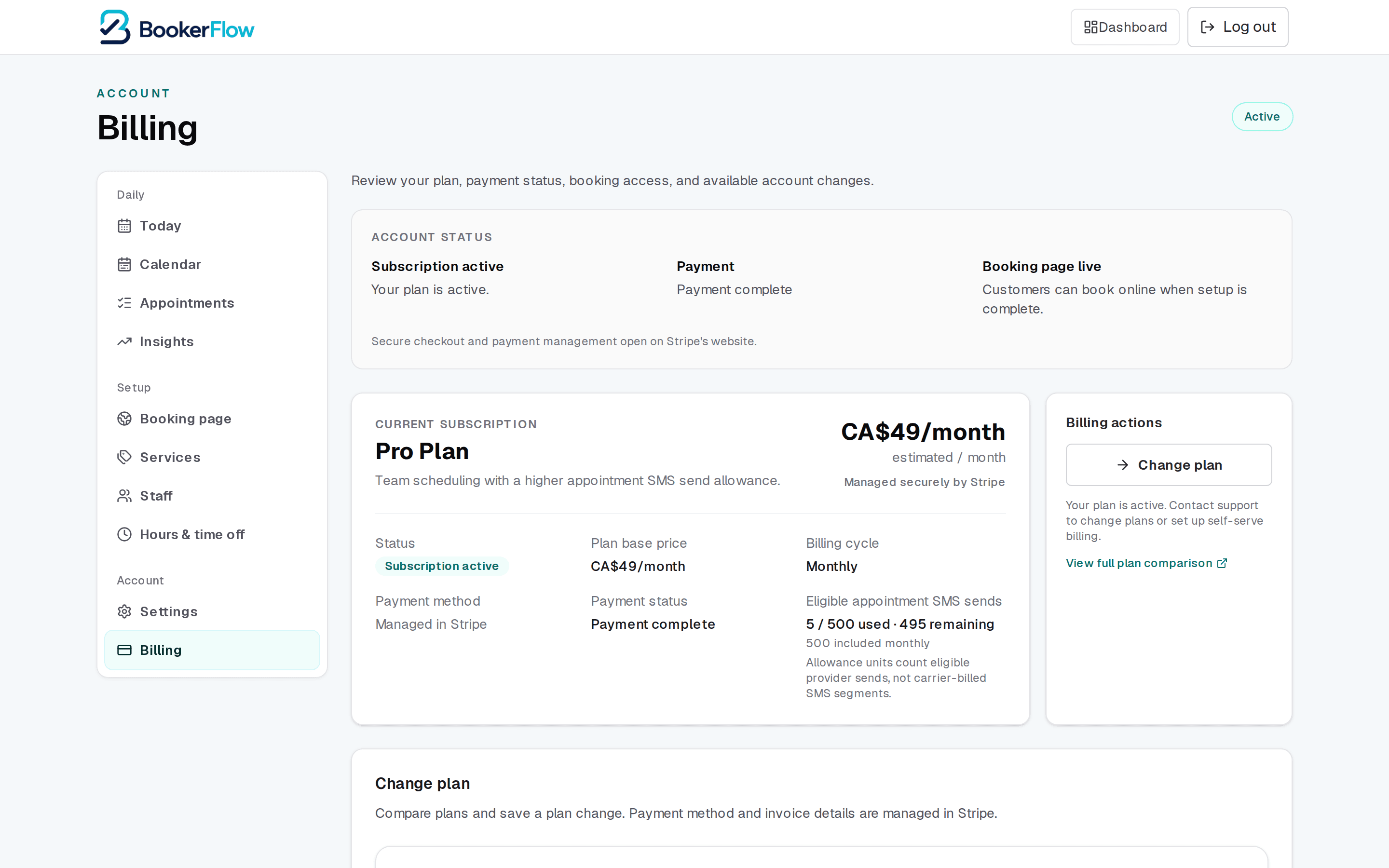
Every plan includes online booking, your booking page, and email confirmations to customers. What changes between them is how many staff you can have and how many appointment texts you can send. All prices are in Canadian dollars, billed monthly.
The four plans
| Setting | What it does |
|---|---|
| Lite — $14/month | One staff member. Online booking with email confirmations only — no appointment texts. |
| Starter — $19/month | One staff member included, up to three in total. Includes 60 eligible appointment texts a month. |
| Pro — $49/month | Three staff members included, up to fifteen in total. Includes 500 eligible appointment texts a month. |
| Business — custom | Custom staff limits and text allowances, with onboarding support. Priced per business — contact us. |
Email is on every plan; texts are not
How staff limits work
The limit counts active team members — the people who can be assigned appointments. Deactivating someone frees their place, so a seasonal team does not force you onto a bigger plan year-round.
Starter and Pro distinguish included staff from the total you can reach: Starter includes one and allows up to three, Pro includes three and allows up to fifteen. Additional staff beyond the included count are charged as an add-on.
How text allowances work
Allowances count eligible appointment sends — a confirmation or a reminder going to one customer — not carrier-billed SMS segments. A long message that a carrier splits in two still counts as one send against your allowance.
The allowance resets monthly. If you need more, top-up blocks of 500 can be added without changing plan. Your Billing page shows used and remaining at a glance.
Running out does not cancel appointments
Changing plan
Plan changes happen on the Billing page. Moving up takes effect immediately so you can use the extra staff places or texts right away. Moving down takes effect at your next billing date, and you keep what you are paying for until then.
Before moving down, check you are inside the smaller plan's staff limit — deactivate anyone you no longer need first, or the change will be refused.
If a payment fails at any point, online booking pauses until it clears. That is covered separately in “Past due”: what customers see and how to fix it.
Related articles
“Past due”: what customers see and how to fix it
Why online booking switches off when a payment fails, what your customers see, and how to turn it back on.
A tour of your dashboard
Where everything lives: the three menu groups, what each page is for, and how the menu changes on a phone.
Who gets emailed when a booking comes in
The two team-alert settings, which addresses receive them, and how to pick a setup that does not bury you.
Still stuck?
Send us the details and we will take a look. Including your booking link and the date and time you are asking about gets you a faster answer.
Last reviewed July 30, 2026.