Billing
Your card, invoices, and cancelling
Updating your payment method, finding receipts, and what happens if you cancel.
Your plan, payment method, and invoices all live on the Billingpage. Anything involving an actual card number happens on Stripe's secure pages rather than inside BookerFlow.
Where payment details live
BookerFlow never sees or stores your full card number. Payment details are held by Stripe, our payment provider, and the Billing page opens their secure portal when you need to change something.
That is why the buttons take you off to another site and back again — it is working as intended, and it means a breach of BookerFlow could never expose your card.
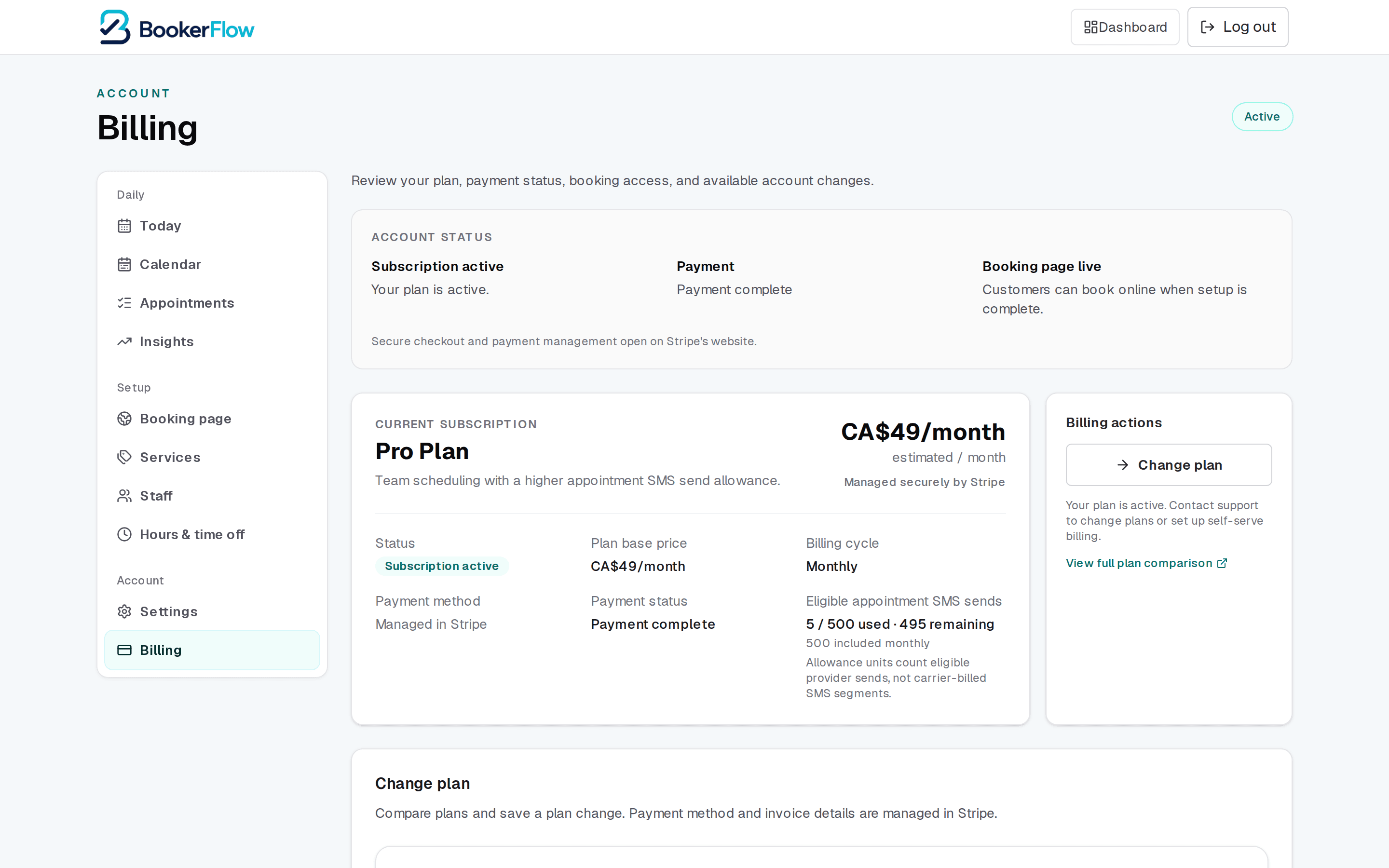
Updating your card
Step 1: Open Billing, then Manage billing in Stripe
Step 2: Add or replace the card
If the old one simply expired, updating the expiry and security code is enough.
Step 3: Come back and reload the Billing page
The new payment method shows within a moment or two.
Update it before it expires, not after
Invoices and receipts
Recent invoices are listed on the Billing page, and the full history — with downloadable PDFs for your bookkeeping — is in the Stripe portal.
Each invoice shows the plan and any extras, such as additional staff places or SMS top-up packs, for that billing period.
Cancelling
Cancellation is handled through the Stripe portal from the same Billing page. Your subscription then runs to the end of the period you have already paid for, and the Billing page shows the date it ends rather than a renewal date.
Until that date, nothing changes — customers can still book as normal.
Online booking stops when the subscription ends
Related articles
“Past due”: what customers see and how to fix it
Why online booking switches off when a payment fails, what your customers see, and how to turn it back on.
Plans and what each one includes
Lite, Starter, Pro, and Business — staff limits, text allowances, and what changes when you move between them.
Signing in and resetting your password
Where the dashboard lives, how to reset a password, and how to keep your customers' data safe.
Still stuck?
Send us the details and we will take a look. Including your booking link and the date and time you are asking about gets you a faster answer.
Last reviewed July 30, 2026.